


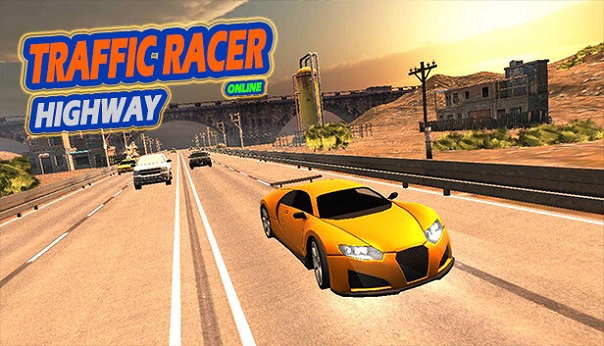
Mobile racing games are a great way to test your reflexes and enjoy fast-paced gameplay anywhere. One of the most popular endless driving games is Traffic Racer, where players must navigate through busy highways while avoiding crashes and collecting rewards.
If you’re just starting or want to improve your performance, this guide will walk you through the essential gameplay mechanics, useful strategies, and helpful tips to help you travel farther and achieve higher scores.
Introduction to Traffic Racer
Traffic Racer is an endless driving game where your main objective is to drive as far as possible without colliding with other vehicles. The roads are filled with traffic such as cars, trucks, and buses, which makes every moment challenging.
As you progress, the traffic becomes denser and the speed increases, requiring better timing and quick decision-making. The longer you survive, the more points and rewards you can collect.
Understanding the Basic Gameplay
The concept of Traffic Racer is simple but highly addictive. You drive along a highway while trying to avoid other vehicles and obstacles.
During gameplay you will:
- Overtake cars to earn points
- Maintain high speed to increase your score multiplier
- Navigate through different environments such as highways, deserts, or city roads
- Collect in-game currency to unlock better vehicles
The game rewards players who can maintain speed while making precise movements through traffic.
Learning the Controls
Traffic Racer offers simple controls that are easy for beginners to understand.
Players can control the vehicle by:
- Tilting their smartphone left or right using the device’s motion sensor
- Using touch controls to steer the car
- Pressing the accelerate button to increase speed
- Using the brake button to slow down when necessary
Getting comfortable with the controls is essential for reacting quickly when traffic suddenly appears in front of you.
Driving Techniques for Better Performance
Maintain Smooth Driving
Avoid unnecessary lane changes. Driving smoothly and staying in a stable lane helps reduce the risk of crashing.
Switch lanes only when needed and make sure there is enough space before overtaking other vehicles.
Perform Close Overtakes
In Traffic Racer, passing very close to another vehicle at high speed can reward you with bonus points. However, this technique requires precision and quick reflexes.
Practice timing your movements so you can safely pass other vehicles without colliding.
Use the Middle Lane Strategically
Driving in the middle lane often provides more flexibility because you can easily switch to the left or right when traffic appears. This positioning can help you avoid sudden obstacles.
Unlocking Cars and Upgrading Performance
While playing the game, you will earn coins based on your distance and performance. These coins can be used to unlock new vehicles or improve the ones you already own.
Each car has unique attributes, including:
- Maximum speed
- Acceleration
- Handling
- Braking ability
Upgrading these features allows your vehicle to perform better, making it easier to achieve longer runs and higher scores.
Challenges and Additional Game Features
Missions and Special Challenges
Traffic Racer includes missions that provide extra objectives during gameplay. Completing these missions can reward players with additional coins or unlockables.
These challenges also help keep the gameplay interesting and encourage players to improve their skills.
Competitive Multiplayer Mode
For players who enjoy competition, Traffic Racer also offers multiplayer features where you can compare your scores with other players. Climbing the leaderboard requires consistent performance and smart driving.
Competing against others adds an extra layer of excitement to the game.
Traffic Racer Gameplay Overview
| Feature | Description |
|---|---|
| Gameplay | Endless highway driving with heavy traffic |
| Controls | Tilt steering or touch controls with acceleration and brake |
| Scoring | Earn points by overtaking vehicles and driving longer distances |
| Currency | Coins collected during gameplay used for upgrades |
| Challenges | Missions that provide additional rewards |
| Multiplayer | Compete with other players on leaderboards |
Final Thoughts
Traffic Racer may appear simple at first, but mastering the game requires patience, quick reactions, and smart driving techniques. By practicing regularly, upgrading your vehicles, and learning how to navigate through heavy traffic, you can significantly improve your performance.
Focus on smooth driving, avoid risky moves when traffic is dense, and take advantage of upgrades to maximize your potential.
With enough practice, you’ll be able to travel farther, earn higher scores, and become a skilled highway racer.
Frequently Asked Questions (FAQ)
1. How do I start playing Traffic Racer?
Open the game and press the Play button on the main menu to begin a race.
2. How can I steer the car?
You can steer by tilting your device or using the touch steering controls.
3. How do I control speed?
Use the on-screen accelerator to speed up and the brake pedal to slow down.
4. What is the main objective of the game?
The goal is to drive as far as possible while avoiding collisions with other vehicles.
5. How are points earned?
Points are gained by overtaking vehicles closely and maintaining high speeds.
6. What obstacles appear in the game?
You will encounter various vehicles such as cars, trucks, buses, and sometimes road barriers.
7. What happens if I crash?
If your vehicle collides with traffic, the race ends and your score is recorded.
8. How can I improve my car?
Use the coins earned during races to upgrade speed, handling, braking, and acceleration.
9. Are there different game modes?
Yes, the game includes modes such as Endless Mode and Time Trial.
10. Where can I change the game settings?
Tap the Settings icon in the main menu to adjust controls, sound, and other preferences.


